tally lsp --stdio.
VS Code
Install the official
wharflab.tally extension from the Visual Studio Marketplace.JetBrains
Install Tally in PhpStorm, RubyMine, Rider, and other JetBrains IDEs.
Generic LSP
Run
tally lsp --stdio to connect any LSP-compatible editor.VS Code
Install the official extension from the Visual Studio Marketplace: Extension ID:wharflab.tally
Install from Marketplace
The extension provides:
- Real-time linting diagnostics as you type.
- Inline violation messages with rule codes and doc links.
- Squiggles and Problems panel integration.
- Picks up
.tally.tomlconfig files automatically from your workspace.
tally lsp --stdio under the hood. Marketplace packages
include a platform-specific tally binary, which is used automatically when no
compatible project or environment installation is available.
JetBrains IDEs
Install the official plugin from JetBrains Marketplace: Plugin ID:30255-tally
Install from JetBrains Marketplace
The plugin works in IntelliJ-based IDEs including PhpStorm, RubyMine, Rider, IntelliJ IDEA, GoLand, PyCharm, and WebStorm.
It provides:
- Stack-aware Dockerfile diagnostics for PHP, Ruby, PowerShell, shell, and Windows containers.
- Modern BuildKit guidance for heredocs, cache mounts, multi-stage builds, and security.
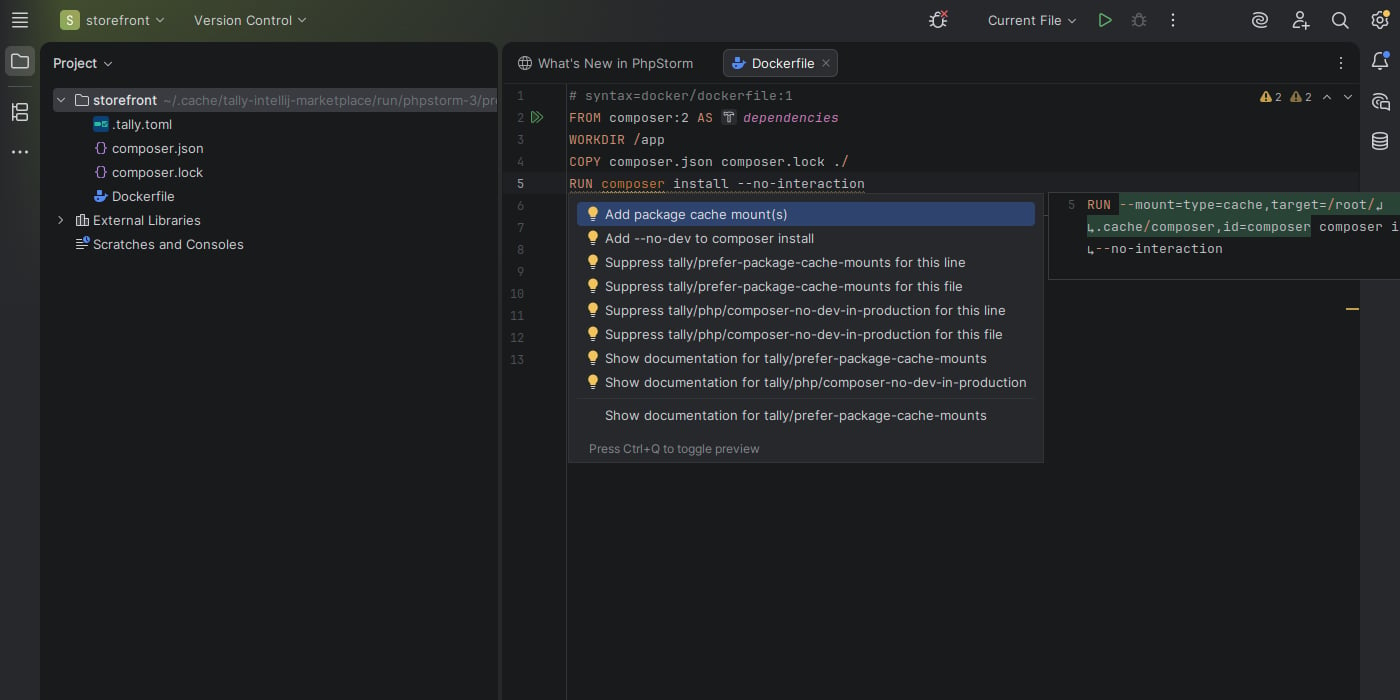
- Safe quick fixes, rule documentation links, and Fix All on Save.
- Dockerfile and Containerfile formatting through Reformat Code.
- Automatic
.tally.toml/tally.tomldiscovery and a bundled Tally binary.
- Stack-aware diagnostics
- Quick fixes
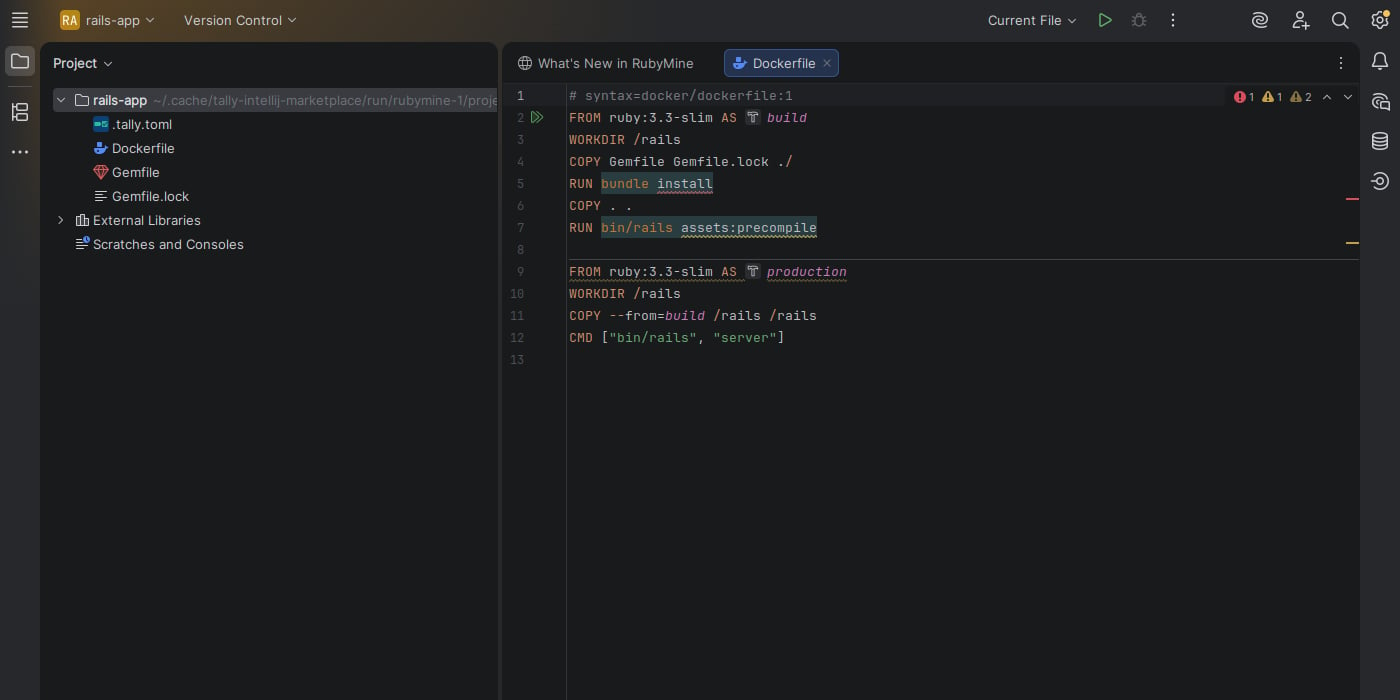
- RubyMine
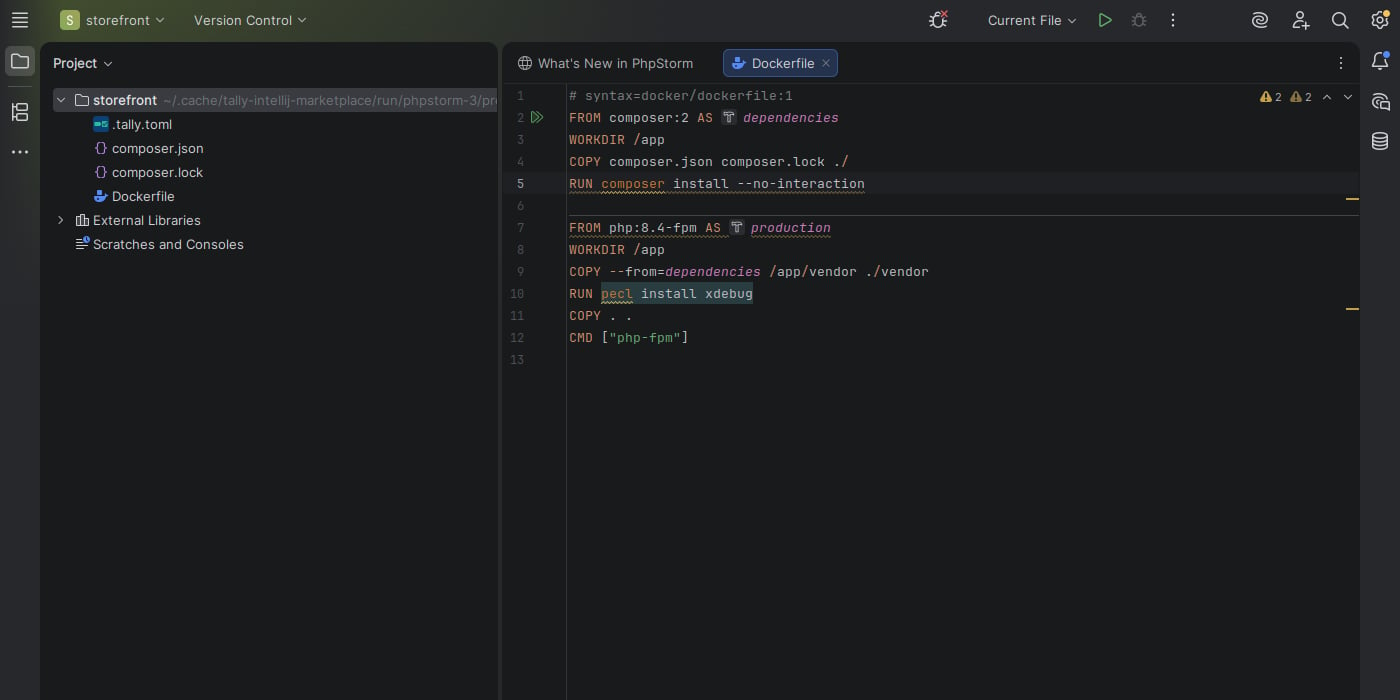
Tally identifies Composer, OPcache, Xdebug, and package-cache issues in PhpStorm.
Stack-specific analysis
Tally analyzes the tools and runtimes used by each stage rather than treating everyRUN instruction as generic shell text.
- PhpStorm: Composer production dependencies, OPcache, Xdebug, PHP package installs, cache mounts, and security.
- RubyMine: Bundler deployment mode and cache mounts, Rails asset compilation and health checks, YJIT, runtime state paths, and secrets.
- Rider and Windows projects: PowerShell semantics, Windows container behavior, effective
SHELL, and PowerShell security rules.
Configure the plugin
Open Settings → Tools → Tally to configure the executable, an explicit configuration file, unsafe fixes, formatting, and Fix All on Save. The plugin discovers the nearest.tally.toml or tally.toml by default.
Invocation-aware diagnostics
By default, the LSP server lints the Dockerfile document you are editing. If your workspace builds that Dockerfile through Bake or Compose, configure invocation entrypoints so diagnostics use the same build args, target stage, platform, and build context as the real build. User-facing setting:tally/bake:api or tally/compose:worker.
If a code action request spans diagnostics from more than one invocation context, mutating quick fixes and fix-all actions are hidden. This prevents
one edit from being applied as if it were valid for every target or service.
See Build invocations for CLI behavior and orchestrator limitations.
Generic LSP
Any editor that supports the Language Server Protocol can use tally’s built-in LSP server over stdio.Start the LSP server
If tally is installed globally:Editor configuration examples
The exact configuration depends on your editor’s LSP client. The general pattern is to configure your LSP client to runtally lsp --stdio for
Dockerfile files (dockerfile language ID).
tally’s LSP server uses cascading config discovery — it finds the nearest
.tally.toml relative
to each Dockerfile being edited, the same way the CLI does.